
Discover
Browse by genre, year, rating, language and theme, save the results as a list and show it on your home screen.
Discover is the compass in the top bar. It is for the nights when you have no idea what to watch.
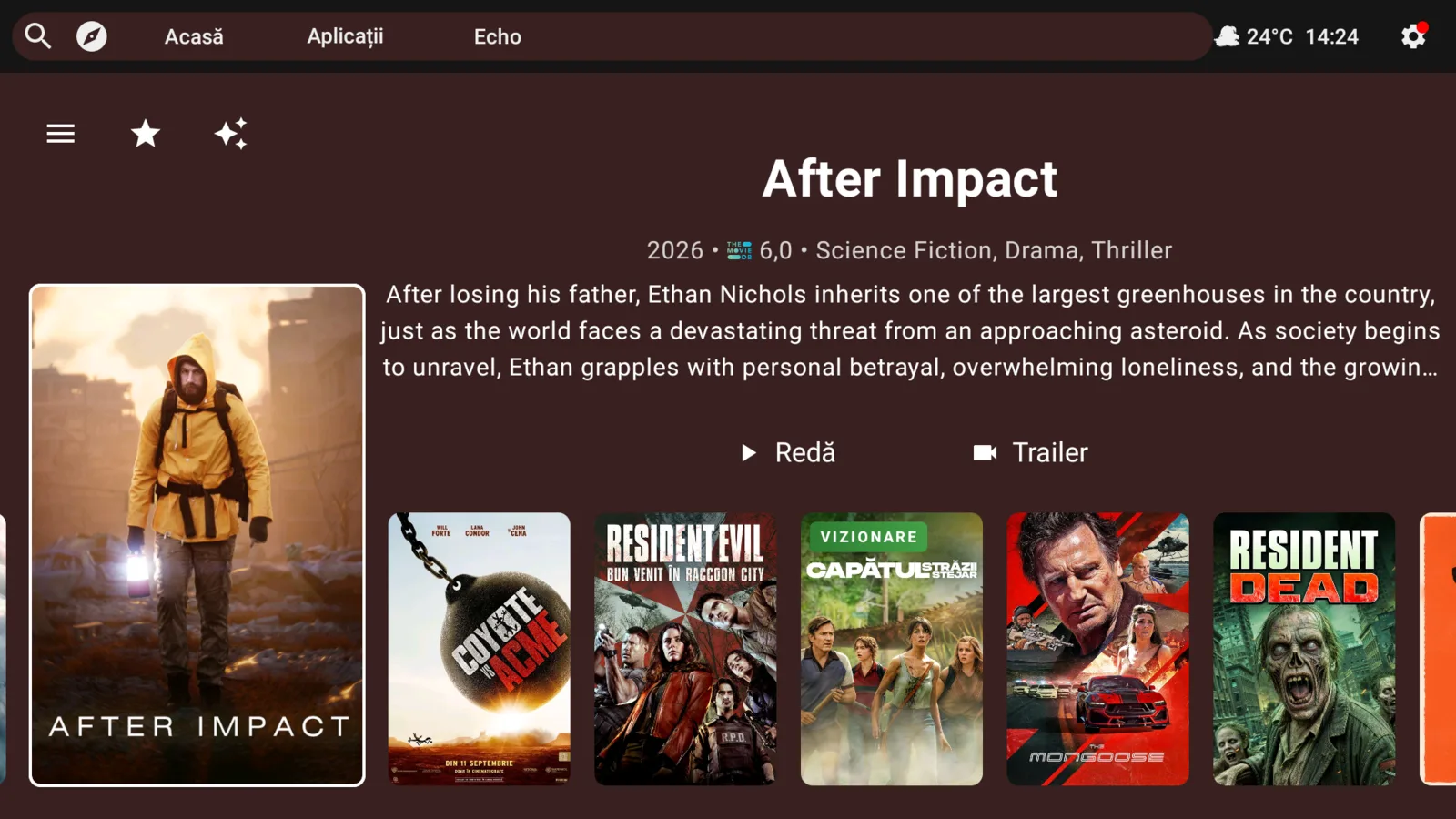
What you see#
- Top left: three buttons, described below.
- The selected title in large type, with its year, its TMDB rating, its genres and a short description, and the Play and Trailer buttons.
- A row of posters along the bottom. Move along it and the details above change.
When you open Discover it shows movies, most popular first, with adult content off.
The three buttons#
| Button | What it does |
|---|---|
| Filters (three lines) | Opens the filter panel |
| Save list (star) | Saves the current results as a list. It appears when there are results |
| AI assistant (sparkle) | Describe what you want to watch, see AI assistant |
The filter panel#
Open it with the Filters button. Everything applies by itself a moment after you change it. There is no Apply or Reset button. Close the panel with the close button or Back.
| Section | What you can set |
|---|---|
| Content type | Movies or TV Shows. Switching clears the genres you picked |
| Sort by | Popularity, Rating, Release date, Title (A-Z) or Upcoming |
| Genres (max 3) | Up to three genres at a time |
| Themes (max 3) | Up to three themes, such as Biopic, Superhero, Christmas, Heist, Time Travel, Zombie, Based on True Story, Serial Killer, Coming of Age, Post-Apocalyptic, Disaster, Halloween, Alien, Space, Martial Arts, Revenge, Vampire, Sports, LGBT or Survival |
| Year | One of three ways: a single Year, a Decade, or a Range with From and To. Any clears it |
| Rating | A Quality level (Excellent, Good, Average, Poor) or a Range with Min and Max |
| Language | The original language of the title |
| Runtime | A Category, or a Range with Min and Max. The categories differ for movies (short films and documentaries, standard films) and for series (sitcoms and comedy, drama and crime, premium series) |
| Adult content | A switch to include adult content |
Year and Rating with Upcoming
When Sort by is Upcoming, the Year and Rating sections are switched off, because they do not apply to unreleased titles.
Save a list#
- Set your filters.
- Press the Save list star and name the list.
It is stored in the List Manager, under Discovery lists. To see it on Home, add a row in Rows with the source HEGEMON and pick the list, which is marked with a magnifier.
Quick path to a row
The first time you open Discover, a tip points at the filter button and then at the save button.