
Welcome to Hegemon
Hegemon Launcher is a home screen for Android TV that brings what you watch, what to watch next and your apps into one place.
Hegemon Launcher replaces the stock Android TV home screen with something built around watching. A large spotlight shows what is worth your attention, rows keep your library and your progress up to date, and a quick dock puts your apps one press away.
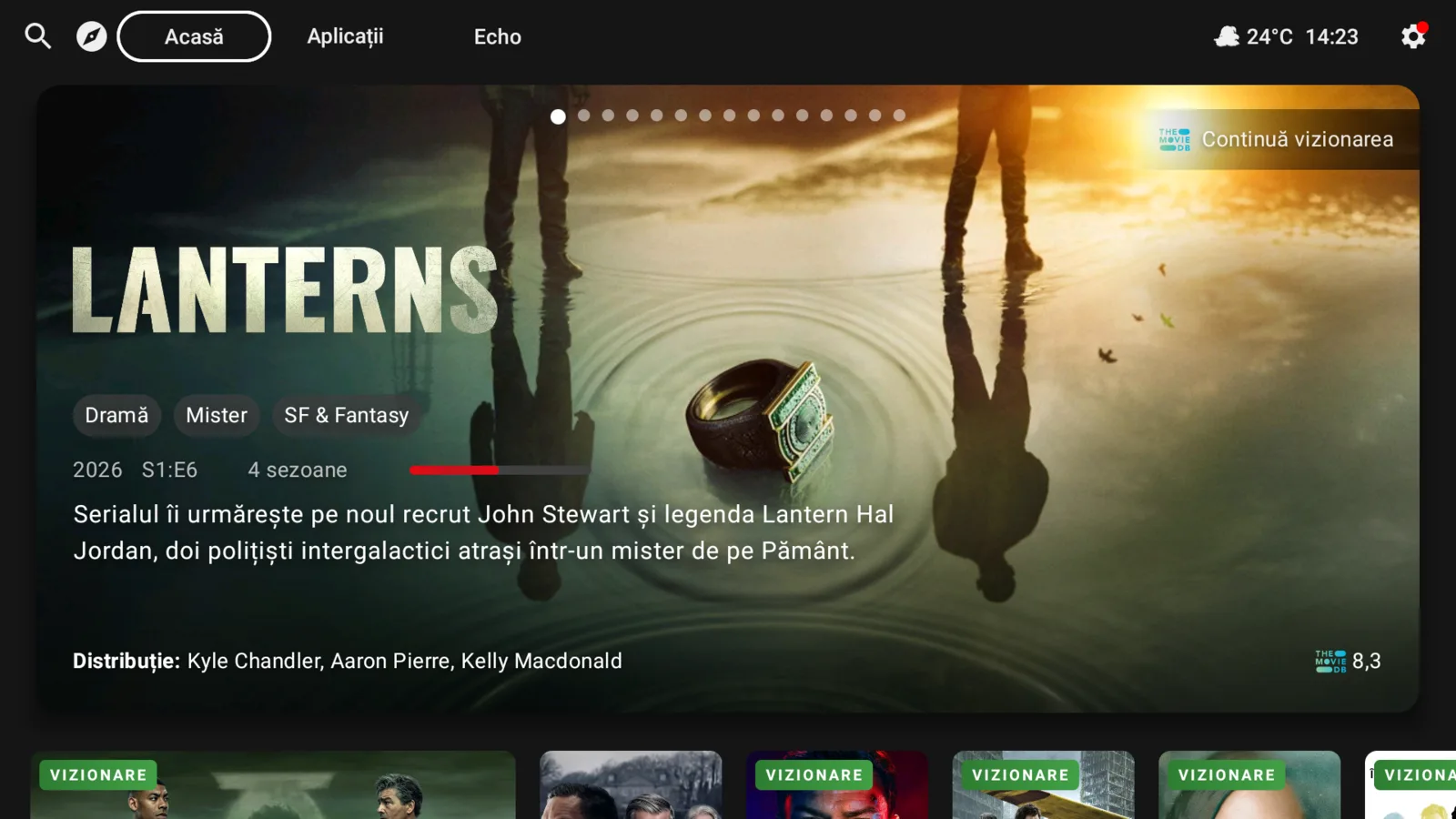
What you can do with it#
- See what to watch: Spotlight and rows built from TMDB, your watch history and your lists. See Home screen.
- Find something new: filters, themes and an AI assistant in Discover.
- Pick up where you left off: progress follows you between devices with Trakt, Simkl or WeTrakr.
- Watch with people: friends, rooms and recommendations in Echo.
- Keep your apps close: the QuickApps dock and the Apps screen.
Where to start#
- Install and first run
- Make Hegemon your home screen
- Learn the remote controls
- Connect Trakt, Simkl or WeTrakr if you use one
Hegemon does not provide content
Hegemon organizes information about films and series and opens the apps you already use. It does not host or sell films, series or streams.
About this wiki#
Every page describes what the app does today. Features that are still in development carry a Beta label. If something here does not match what you see on your TV, please tell us.